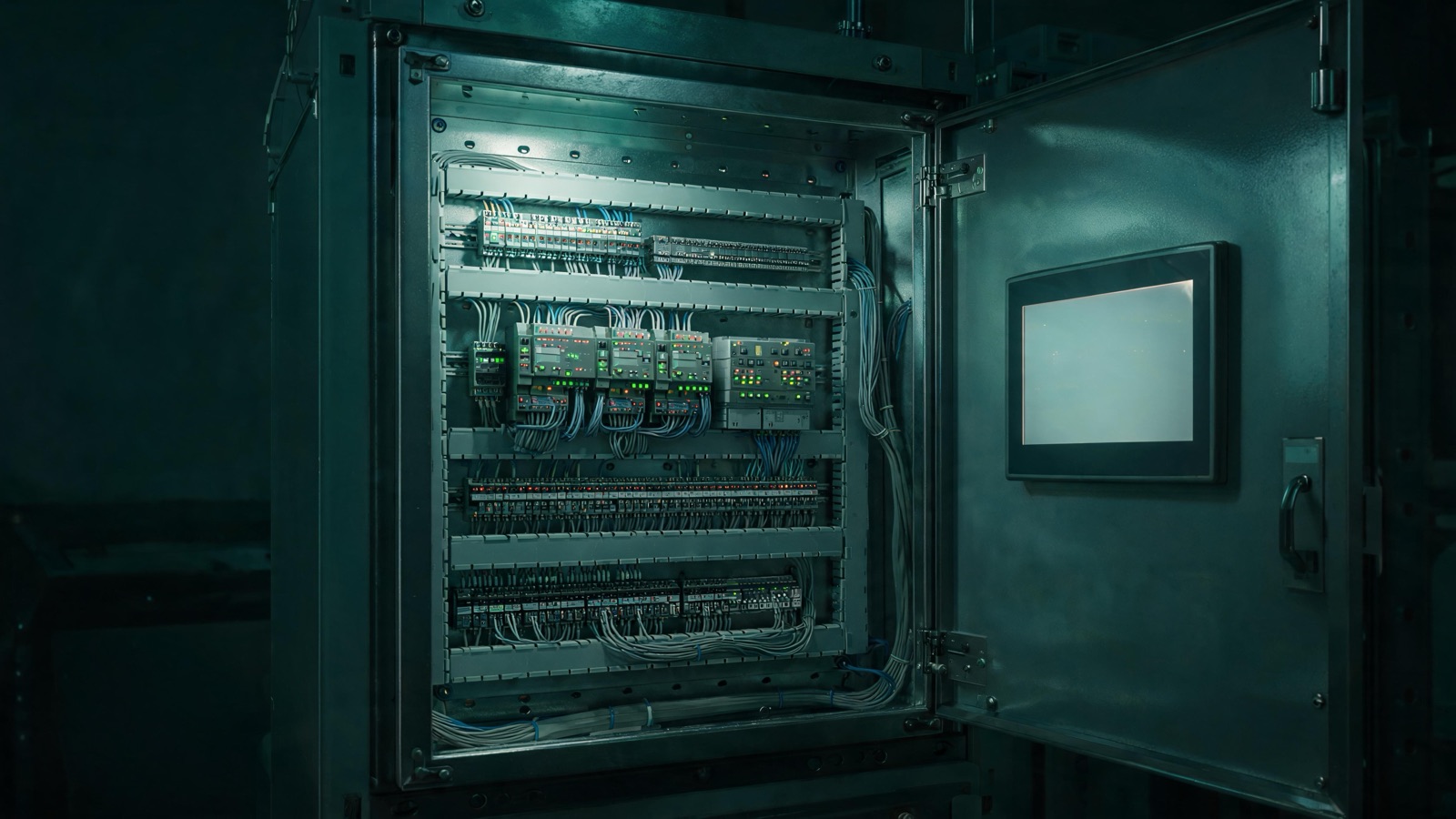
Somewhere in your plant there’s a control panel running a PLC the manufacturer stopped making a long time ago. It still works, and it’s probably worked reliably for years. But you already know the risk sitting behind that panel door, because you’ve felt it every time that processor throws a fault nobody on your team has seen before.
PLC obsolescence doesn’t happen all at once. It creeps. First the manufacturer stops selling new units. Then they stop supporting the programming software on current operating systems. Then the spare modules dry up, and the only place left to find one is a used-equipment broker or an online auction. By the time most plants notice, they’re already deep into the risky part.
This guide covers how that happens, what it costs to keep running on borrowed time, how to inventory what you’ve got before you touch anything, and how to plan a control panel and PLC migration that doesn’t blow up your production schedule.
How a PLC actually goes end of life
Manufacturers phase out PLC platforms in stages, and it helps to know where yours sits.
The first stage is when the manufacturer announces the platform is no longer sold as new. Existing units keep running and support continues, but the writing is on the wall. The second stage is when official repair and replacement parts support ends, and a failed module won’t be sold to you new. The third stage is when the programming software itself stops being updated or compatible with current computers, which puts your engineering team’s ability to open and edit the program at risk every time they get a new laptop.
Most plants don’t track which stage their PLCs are in. They find out during a failure, the worst possible time to learn it. If you don’t already have a list of every PLC platform in your plant and its support stage, that’s the first thing to build.
The real risk of running on eBay spares
When a PLC platform is discontinued, a secondary market shows up fast: auction sites, brokers, and resellers selling “new old stock” or pulled units from decommissioned equipment. It’s tempting, since it’s often the only source left and it keeps the machine running today.
But used spares carry risks that aren’t obvious until they bite you. You don’t know the real history or condition of a module pulled from another plant’s machine. There’s no warranty and no support if it doesn’t work as expected. Counterfeit and mislabeled parts do circulate in this market, and they can be hard to spot until the module is already installed and misbehaving. Every time you buy a spare this way, you’re pushing the same decision down the road, usually with fewer good options next time.
The bigger issue is your risk profile. Every day you run on a platform with no manufacturer support, you’re one component failure away from an unplanned outage with no guaranteed fix. That’s a production risk your whole schedule is quietly exposed to. If the machine attached to that panel is also getting old mechanically, not just the controls, it’s worth reading how to separate a mechanical problem from a controls problem before you commit to a migration scope.
Start with a documentation audit
Before you plan a migration, know exactly what you’re migrating. This step gets skipped constantly, and it’s usually why migrations run long or go wrong.
- Pull every existing program file and configuration, and confirm you can open and read it with current software
- Locate the original electrical drawings and verify they match what’s actually wired in the panel today
- Document every I/O point: what it connects to, what it does, and whether it’s still in use
- Identify custom logic, safety interlocks, or timing-sensitive sequences that aren’t obvious from reading the code
- Confirm who has access to the source program and whether any of it is password protected with a password nobody has
If your documentation doesn’t match reality, and in a lot of plants it doesn’t, this audit is where you find out, not while standing in front of a machine that won’t restart mid-changeover.
Document the logic, not just the I/O
The audit above tells you what’s connected. It doesn’t tell you what the program is actually doing, and that’s the part that causes real problems during a migration.
Old PLC programs accumulate logic the way old machines accumulate parts. A subroutine gets added to handle one bad batch of material years ago and never gets removed. A timer gets adjusted in the field and never makes it back into the master documentation. A safety interlock gets wired around temporarily during a breakdown and, if you’re honest, might still be wired around today.
Before you migrate, go through the existing program logic with someone who understands the process, not just someone who can read ladder logic. Ask what each section actually does on the floor, not just what it says on screen. Flag anything without a clear reason for existing, and flag anything that has a reason but isn’t documented outside the code itself.
This matters more for a migration than for routine maintenance, because a straight code translation carries forward everything, including the parts nobody can explain. A new platform is a rare chance to keep what works and finally drop what doesn’t, but only if someone tells the difference before the cutover, not during it.
Map the I/O before you touch anything
Once you know what exists, map every input and output to the new system, one point at a time. This is detailed work, and it’s tempting to rush it, but it’s the single biggest driver of how smooth your cutover goes.
For each point, confirm what it physically connects to, what signal type it uses, and whether the new PLC and I/O modules can handle it directly or need a conversion. Pay close attention to safety circuits. Anything tied to an emergency stop, a guard interlock, or a safety relay needs mapping and verification with extra care, because a mistake there isn’t just a downtime problem.
This is also where a lot of plants realize they want more than a straight swap. If you’re already remapping I/O, it’s often worth reviewing whether your HMI screens and alarm logic could be improved at the same time, since you’re already inside the system.
Compare your migration strategy options
Once you know what you’re working with, you have real choices about how to approach the migration, and the right one depends on your risk tolerance, timeline, and how much you trust the existing logic.
Like-for-like swap versus a logic redesign
A like-for-like swap keeps the existing logic largely as is and translates it to run on the new platform. The advantage is speed and predictability. You’re not redesigning how the machine thinks, just giving it a new place to run the same instructions. This tends to be right when the existing logic is well understood, reasonably documented, and doing its job without much drama.
A redesign rewrites the logic using current programming practices and better fault handling, while producing the same functional result on the floor. It takes longer and costs more up front, but it typically pays off in a program that’s easier to maintain and troubleshoot later. Redesign tends to make sense when the audit turns up a program that’s hard to follow or full of undocumented workarounds nobody fully trusts.
Most migrations land somewhere between the two: keep the logic that’s clean and well understood, and rebuild the sections that turned up as question marks during your audit.
Big-bang cutover versus a phased approach
A big-bang cutover replaces the entire control system in one window. Everything old comes out, everything new goes in, and the machine comes back up on the new platform in one step. This is faster overall, but it puts all your risk into a single window with no fallback once the old hardware is disconnected.
A phased approach migrates the system in stages, sometimes running the new PLC alongside the old one during a transition, or migrating one section of a larger line at a time. This spreads risk out and gives you more chances to catch problems, but it takes longer and requires more coordination.
For a single, well documented machine, big-bang is often the practical choice. For a larger line with multiple interconnected systems, or a machine retrofit and modernization project touching mechanical systems as well as controls, a phased approach usually reduces risk enough to be worth the extra time.
Plan the cutover window realistically
A PLC migration isn’t something you do live on a running line. It needs a planned window, and its length depends on how much prep work happened beforehand.
The plants that get short windows did the documentation audit and I/O mapping properly ahead of time, tested the new program offline, and had everything staged and labeled before the window opened. The plants that get long, painful windows are figuring out wiring and logic in real time while the machine sits down.
Build in time for testing after the new system is powered up, not just installation time. Run the machine through its full cycle, check every safety function, and confirm the HMI matches what operators expect. Rushing this to get the line back up sooner is how small mistakes turn into repeat outages a week later.
Manage risk during the cutover window
The cutover window is where all your preparation either pays off or gets exposed, and how you manage risk during that window matters as much as the prep work leading up to it.
Keep the old system intact and ready to go back in until the new one has been fully validated. It’s tempting to strip out the old panel as soon as the new one is wired, but until you’ve run a full production cycle and verified every safety function, you want a way back. A cutover with a fallback is a delay. A cutover without one is an outage with no clear end.
Treat safety systems as their own checklist, separate from general functionality. Verify every emergency stop, guard interlock, and safety relay individually, with someone physically at the machine confirming the response, not just checking a status light on a screen. Don’t assume new wiring matches old behavior just because the drawings say it should.
Have a clear communication plan for the window itself. Everyone who needs to know the machine is down, when it’s expected back, and who to call if something looks wrong should know before the window opens. A field engineering and maintenance presence on site through the first shifts after cutover catches issues that only show up under real production conditions.
Resist the urge to call it done the moment the machine cycles once successfully. One good cycle tells you the machine can run, not that it can run your actual parts and fault conditions. Build in real production time under supervision before you consider the migration closed.
What a good migration package includes
A migration is more than swapping a processor. At minimum, a complete package should include:
- Updated electrical schematics that reflect exactly what’s installed, not what was originally designed
- A new PLC program that’s commented, organized, and tested, not just functionally working
- Operator screens and HMI logic your team can use without a full retraining program
- A documented spares list for the new platform, so the next obsolescence conversation starts earlier
- Operator and maintenance training delivered by someone who understands both the old system and the new one
That last point gets skipped more than it should. The person who migrated your system understands it best on day one, and that knowledge fades fast if it isn’t transferred deliberately. A short, structured training session, covering what changed and why, is worth more than a binder nobody opens until something breaks. Darioo Industrial builds migration packages this way, with documentation and training built in, not an afterthought.
Common questions
How do we know if our PLC is actually at risk, or just old? Check whether the manufacturer still sells new units and replacement modules, and whether the programming software runs on a current computer. If any of those are no, you’re at risk regardless of how reliably the machine has run so far. Age alone isn’t the signal, support status is.
Can we migrate just the PLC and keep the existing drives and HMI? Often yes, if those components are still supported and communicating reliably with the new PLC. A migration doesn’t have to be all or nothing. The goal is removing what’s actually obsolete, frequently the processor and its programming environment rather than every component in the panel.
How much does undocumented logic slow down a migration? More than most plants expect. Reverse engineering what a section of code does, when nobody wrote it down, routinely takes longer than writing new logic from scratch. That’s why logic review comes before the migration plan, not alongside it.
What happens if we find a safety issue during the documentation audit? Fix it before the migration, not during the cutover window. A migration is stressful enough without discovering an interlock was wired around years ago and nobody flagged it. Treat any safety finding as its own priority, separate from the migration timeline.
The takeaway
PLC obsolescence is a slow, predictable process, and the plants that handle it well track it before a failure forces the issue. Used spares buy time, but they don’t fix the underlying risk in your panel. A documentation audit, a real logic review, and a deliberate choice between migration strategies are what make a cutover window short instead of painful. Plan the migration on your schedule, not the schedule a failed module hands you.